Why take this course?
In-demand skill across content & media industries
Learn both technical and creative editing skills
Practical hands-on learning with real editing tools
Opportunity to build a personal showreel
Course overview
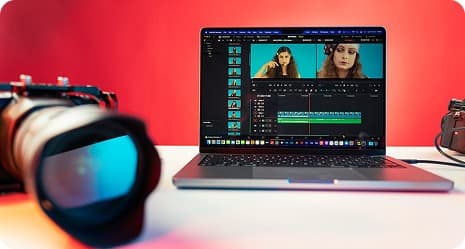
This course is designed to take you from beginner to proficient video editor. You’ll learn the fundamentals of editing, transitions, sound design, and motion graphics using industry tools.
Hands on learning
Comprehensive curriculum
Supportive community
Certificate of completion
Course content
Navigate NLE interfaces (Capcut, Premiere, DaVinci)
Set project files & codecs correctly
Trim, ripple & roll edits with shortcuts
Organise footage with bins & markers
Planning and conducting user interviews
Build pace with timing & rhythm
Use J‑/L‑cuts for seamless dialogue
Match action & maintain continuity
Sync external audio to video
Clean noisy dialogue with EQ & NR
Layer SFX & ambience for depth
Choose royalty‑free music that fits mood
Animate lower‑thirds in After Effects
Design kinetic typography templates
Apply tracking for on‑screen text
Export alpha‑channel graphics
Balance exposure & white‑balance
Use scopes (waveform, vectorscope)
Create LUT‑based creative looks
Version grades for different outputs
Deliver master & social‑cut exports
Collaborate with a sound designer
Develop an edit brief & shot list
Present reel & receive peer critiquet
With the best and experienced mentors
We pride ourselves on having the best and most experienced mentors in the industry. Each mentor at MERP academy is carefully selected based on their extensive industry experience and their dedication to guiding and inspiring students making their learning journey truly exceptional

Frequently asked questions

Subscribe to our newsletter
By subscribing up to our newsletter, you can keep up with all of the latest and most recent information from our tech school. Be the first to get updates about new program offerings, insight into the company, events, and other vital information.
Top reviews of what our students are saying

Oreoluwa
(How this course has affected me) I can now comfortably design on photoshop, not to say i have attained, or I am a pro, I am most certainly not, but I know the basis and it’s solid foundation to start my graphics design journey on photoshop and I am really grateful I paid for This. (Money no burn)

Emmanuella
It was an amazing experience to me. At first designing was a bit messy on my part but getting to be in this fantastic Academy, became a sure purpose. I am glad to be part of this great platform. The tutors are actually the best, I must say Thumbs up to you all. Thanks for this great knowledge

Collins Nweke
The curriculum was well-crafted, covering all aspects of product design, from fundamentals of UIUX designs, all the way down to designing my own projects. I loved how we were always challenged to do several designs this really helped improve my knowledge in design thinking as well.

Funmilayo
Photoshop was a bit scary software for me before. This class really helped boost my self confidence with photoshop. I was able to create some designs nicely. The tutor was also always ready to respond whenever I needed help. I recommend this academy for anyone that wants to learn how to design effectively
